If you’ve ever had a pad printer fail to replicate a crisp logo on a key fob, fade a consistent pattern on a medical device component, or smudge a serial number on a plastic part, you know how frustrating poor printing quality can be. As a pad printer supplier, I’ve seen this firsthand—we get calls every week from clients who’ve invested in a machine that works great for a week, then suddenly spits out inconsistent prints. Most of the time, the issue isn’t the machine itself; it’s small, fixable mistakes in setup, maintenance, and material choice. Today, I want to break down the science behind pad printing quality and share actionable steps you can take to get consistent, high-quality prints every time. Pad Printer

First, let’s start with the basics: what even is pad printing, and why does quality slip? Pad printing works by transferring ink from a textured engraved plate (called a cliché) onto a soft silicone pad, then pressing that pad onto the target surface. The quality depends on three main variables: the cliché’s design, the ink’s viscosity, and the pad’s material. Skip even one of these, and you’ll end up with blurry edges, uneven coverage, or ink smudges. I’ve watched clients skip small checks here that would solve 70% of their quality issues. Let’s dive into each part.
The cliché is the foundation of your print. Too many people treat it like a one-time use part, but if maintained correctly, a cliché can last thousands of prints. First, check the engraving depth. If your cliché is too shallow, the ink won’t transfer enough onto the pad, leading to faint prints. If it’s too deep, the ink will pool in the grooves, causing smudges when the pad lifts. For most common applications—like logo printing on automotive parts or text on plastic containers—engraving depth should be between 25 and 50 microns. I always tell clients to test with a 30-micron cliché first; it’s a sweet spot for most inks and surfaces.
Next, the cliché’s surface finish matters. After engraving, the metal (usually steel or aluminum) should be polished with a micro-abrasive pad to remove burrs. Burrs catch the pad as it moves across the cliché, leading to uneven ink transfer. I’ve had a client who was getting 50% defect rates on their phone case prints; we found a tiny burr on the edge of their cliché’s logo, and buffing it out fixed the issue immediately. Also, don’t forget to degrease the cliché before each use. Finger oils, leftover ink residue, and even dust can create a barrier between the cliché and the ink, leading to inconsistent coverage. Use isopropyl alcohol (90% concentration or higher) and a lint-free cloth to wipe the cliché before every print run—this takes 30 seconds and saves hours of rework.
Now, let’s talk about ink. Ink viscosity is the single most overlooked factor in pad printing quality. Viscosity measures how thick the ink is; if it’s too thin, it runs off the cliché before the pad picks it up. If it’s too thick, the pad can’t penetrate the cliché’s grooves, leading to blank spots. The ideal viscosity for pad printing is between 100 and 300 centipoise (cP), but this can shift based on temperature and humidity. In hot, dry environments, ink dries faster, so you’ll need to add a small amount of thinner (only use the thinner recommended by your ink manufacturer—mixing brands can cause adhesion issues) to lower viscosity. In cold, humid spaces, ink slows down, so add a tiny amount of reducer to thicken it up.
I once had a client in a factory with no climate control who was having major issues with ink drying mid-print. We installed a small humidity gauge near their pad printer and adjusted their ink viscosity daily; within a week, their defect rate dropped from 18% to 2%. Another tip: don’t reuse old ink. Ink can separate over time—pigment sinks to the bottom, solvents evaporate—and mixing it without stirring thoroughly can lead to uneven color. Stir your ink for at least two minutes before each use, and strain it through a 120-micron mesh filter to remove any clumps that could clog the cliché’s engraving.
The silicone pad is the bridge between the cliché and your target surface, so its material and condition are non-negotiable. Not all silicone pads are the same: soft pads (Shore A 20–30) work best for curved or uneven surfaces, while hard pads (Shore A 40–50) are better for flat, rigid parts. Using the wrong pad for your surface is a common mistake. For example, a client who was printing on round plastic bottles used a hard flat pad, leading to gaps in their prints; switching to a soft curved pad fixed the issue completely.
Pads also wear out over time. Even if you take good care of them, a pad will lose its elasticity after 5,000–10,000 prints. Signs of a worn pad are cracking, discoloration, or a sticky surface. A sticky pad picks up excess ink from the cliché, leading to blurry prints; a cracked pad transfers ink unevenly, leaving thin lines or gaps. To extend pad life, always clean it after each print run with a pad cleaner (not isopropyl alcohol—too much alcohol breaks down silicone) and store it flat, not rolled or folded. I tell clients to keep a backup pad on hand; swapping a worn one in takes 10 minutes and avoids hours of downtime.
Now, let’s move to machine setup, which is where a lot of first-time pad printer users go wrong. The pad’s contact time with the cliché and the target surface is critical. If the pad touches the cliché for too long, excess ink transfers, leading to smudges. If it touches too briefly, not enough ink is picked up. Aim for a contact time of 0.2 to 0.5 seconds for the cliché, and 0.3 to 0.7 seconds for the target surface. Too little contact time on the part means the ink doesn’t adhere properly; too much means it can spread.
Register alignment is another big one. If the pad isn’t perfectly aligned with the cliché and the target, you’ll get prints that are off-center or overlapping. Many modern pad printers have digital alignment tools, but if yours is manual, use a thin alignment tape to mark the position of the cliché and the part holder before each run. I once worked with a small electronics manufacturer who was getting 20% of their boards with misaligned logos; we adjusted their part holder by 1mm, and the issue vanished. Also, check the machine’s pressure: the pad shouldn’t press too hard or too softly. A pressure gauge (most machines have a built-in one) should read between 2 and 5 bar for most applications. Too much pressure squashes the pad, leading to ink bleed; too little, and the pad doesn’t pick up enough ink.
Environmental factors are often the invisible cause of poor printing quality, but they’re easy to fix. Temperature: ideal conditions are between 20°C and 25°C (68°F to 77°F). Too hot, and ink dries too fast, clogging the cliché or making the print fade. Too cold, and ink doesn’t transfer evenly. Humidity should be between 40% and 60%; dry air causes ink to evaporate, while humid air traps moisture, leading to poor adhesion. If your factory has extreme conditions, even a small desktop humidifier or dehumidifier near the pad printer can make a huge difference.
I also recommend a weekly maintenance routine that takes less than an hour. First, clean the cliché thoroughly to remove any dried ink residue. Then, inspect the pad for cracks or stickiness; if it’s not perfect, replace it. Check the machine’s oil levels (if it’s a hydraulic model) or air pressure (if it’s pneumatic) to ensure it’s running smoothly. Finally, test a few prints before starting a full run. Even a 5-minute test print can catch issues like misalignment, wrong viscosity, or a worn pad before you waste a batch of parts.
Let’s walk through a real example to put this all together. Last quarter, a client who makes medical device components reached out to us with a critical problem: their serial number prints were smudging, which violated FDA requirements. They’d tried changing ink, adjusting machine settings, and even replacing the cliché, but nothing worked. We walked through their setup step by step, and found three issues: their cliché was 15 microns too shallow, their ink viscosity was 80 cP (too thin), and they were using a hard pad for their curved plastic parts. We adjusted the cliché to 35 microns, added a small amount of ink reducer to thicken the viscosity to 220 cP, and swapped their hard pad for a Shore A 25 silicone pad. The next test run had zero defects, and they’ve been using that setup ever since. That’s why I always say: pad printing quality is about the small details, not big expensive changes.
If you’re still struggling with print quality, don’t wait to reach out. As a pad printer supplier, we don’t just sell machines—we help clients troubleshoot these exact issues, whether you’re a small startup doing 1,000 prints a day or a large manufacturer doing 100,000. We can walk you through cliché maintenance, ink mixing, and machine setup over a quick call, or even send a technician to your facility to run a full audit. Every machine works its best when it’s set up for your specific application, and that’s where we come in.
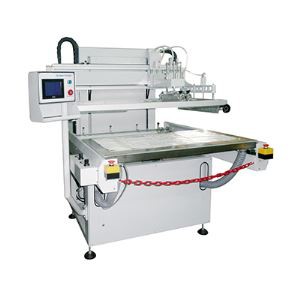
Don’t let poor pad printing quality hold back your product. A crisp, consistent print doesn’t just look better—it builds trust with your customers, ensures compliance with regulations, and reduces waste from defective parts. Take 30 minutes this week to check your cliché, adjust your ink viscosity, and inspect your pad; you’ll be amazed at the difference it makes. For help refining your setup, testing new ink or pad combinations, or choosing the right machine for your needs, connect with us to discuss your requirements. We’re here to help you get the perfect print, every time.
Uv Painting Line References:
Pad Printing Technology Handbook. Pad Printing Association International. 2021.
Silicone Pad Materials for Industrial Printing. Journal of Coating Technology and Research. Vol. 18, No. 3, 2021, pp. 457–469.
Ink Viscosity Management in Pad Printing Processes. Industrial Printing Magazine. July 2022, pp. 22–27.
Shenzhen Hejia Automatic Printing Machine Co., Ltd.
Shenzhen Hejia Automatic Printing Machine Co., Ltd. is one of the most professional pad printer manufacturers and suppliers in China. All products for sale come in high precision and reliable performance. If you’re interested in it, welcome to place orders for pad printer from our factory. Good prices and services are offered in our factory.
Address: No.3 Building, Daerxun Technology Ind. Zone, No.29 Pingxin North Road, Pinghu Town, Longgang, Shenzhen City, China
E-mail: info@apm-print.com
WebSite: https://www.apm-print.com/
